


If your Brisbane business Google Maps listing isn’t appearing when customers search nearby, you’re losing sales to competitors who show up first. The “local pack” (the map and three business listings Google shows at the top of local searches) captures the vast majority of clicks for “near me” and location-based searches. If you’re not in it, you’re invisible to a huge share of ready-to-buy local customers.
This guide covers the real reasons Brisbane businesses go missing from Google Maps and the exact steps to fix it, drawn from the local SEO work Digital Marketing Agency Brisbane does for clients across South East Queensland.
Why Isn’t Your Brisbane Business Showing Up on Google Maps?
Before fixing anything, it helps to know which of these is actually the problem most Brisbane businesses have more than one:
- Your Google Business Profile was never claimed or verified
- Your business name, address and phone number (NAP) are inconsistent across the web
- You’ve chosen the wrong or overly broad business category
- You have few or no Google reviews compared to competitors
- Your listing has been suspended for a guideline violation (often unnoticed)
- You have duplicate listings competing against each other
- Your service area doesn’t reflect where you actually want to be found
Google’s Local Ranking Factors Explained
Google Maps rankings come down to three factors, and understanding them explains almost every “why don’t I rank” question:
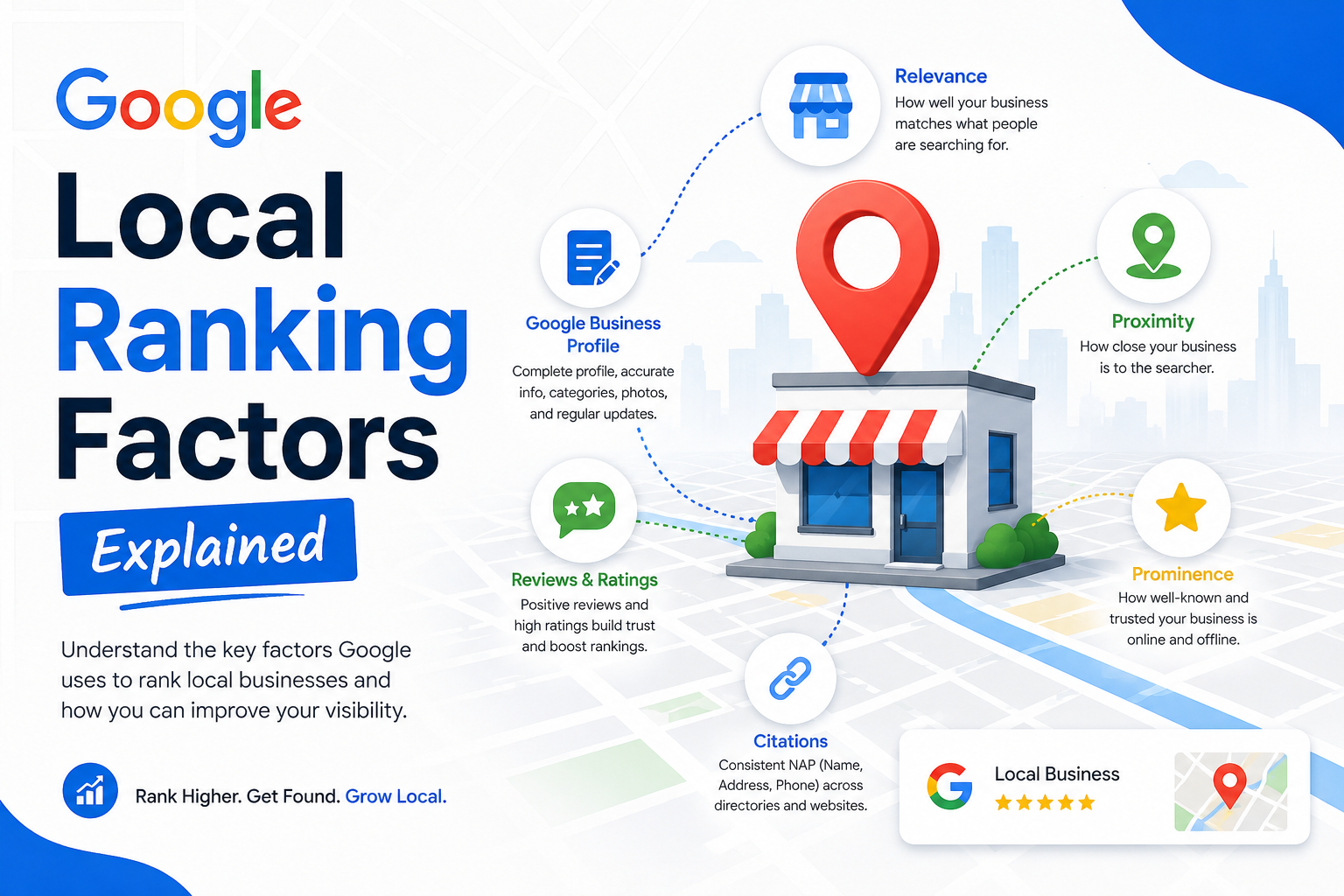
| Ranking Factor | What It Means | How You Influence It |
| Relevance | How well your Google Business Profile matches what the searcher is looking for | Complete, accurate categories and a detailed business description |
| Distance | How far your business is from the searcher (or the location they searched) | Accurate address and service-area settings — can’t be gamed, only accurately set |
| Prominence | How well-known and trusted your business is, based on reviews, links and citations | Google reviews, local citations, backlinks and overall online presence |
How to Fix Your Brisbane Business’s Google Maps Visibility
1. Claim and Verify Your Google Business Profile
This sounds obvious, but it’s the single most common gap. Search your business name on Google Maps if you don’t see a “Own this business?” prompt or can’t edit the listing, it likely isn’t claimed. Verification (postcard, phone or video, depending on your business type) is required before Google will fully trust and rank your listing. See Google’s Business Profile help centre for the current verification options.
2. Fix NAP Consistency Across the Web
Google cross-checks your business name, address and phone number against directories, your website footer, and social profiles. Even small inconsistencies “St” vs “Street,” an old phone number still listed on a directory — quietly erode trust and rankings. Audit your listing against your website, Facebook, and major directories like True Local and Yellow Pages.
3. Choose the Right Categories
Your primary category carries significant ranking weight. A cafe listed under “Restaurant” competes in a much broader, harder pool than one correctly listed under “Cafe” or “Coffee Shop.” Review your category choice against what your ideal customer is actually searching for.
4. Build a Steady Flow of Genuine Google Reviews
Review count and recency both factor into prominence. A simple, consistent ask a follow-up text or email after service outperforms occasional bulk review pushes, and keeps your profile looking active to Google’s algorithm.
5. Build Local Citations and Backlinks
Listings on relevant local directories, chamber of commerce sites, and industry associations all reinforce prominence. A handful of high-quality, Brisbane-relevant citations tend to outperform dozens of low-quality directory submissions.
Google Maps Competition by Brisbane Area
Local pack competition isn’t uniform across Brisbane where your business is located changes how hard you need to work to rank:
| Brisbane Area | Google Maps Competition Level |
| Brisbane CBD | Very high — dense competition across professional services and hospitality |
| Fortitude Valley | High — hospitality, nightlife and creative agencies compete hard for the local pack |
| South Bank | High — tourism-facing businesses and dining compete for map visibility |
| Chermside | Moderate to high — retail and trades compete around the major shopping precinct |
| Indooroopilly | Moderate — growing suburb with rising local service competition |
| Springfield / Ipswich corridor | Emerging — lower competition, strong opportunity for early movers |
How Long Does It Take to Rank on Google Maps in Brisbane?
Most Brisbane businesses see measurable improvement within 4-8 weeks of fixing the fundamentals (verification, NAP, categories), with stronger local pack rankings building over 3-6 months as reviews and citations accumulate. Highly competitive CBD and Fortitude Valley categories typically take longer than emerging-suburb businesses with less competition.
Frequently Asked Questions
Why did my Brisbane business disappear from Google Maps suddenly?
Sudden disappearance usually means a suspension for a guideline violation (often an address or category issue), a duplicate listing conflict, or occasionally a Google algorithm update affecting how local relevance is scored.
Do I need a physical address to appear on Google Maps?
Service-area businesses without a public-facing storefront can still appear using a hidden address and defined service area, though storefront businesses generally rank more strongly in the immediate local pack.
How many Google reviews do I need to rank well?
There’s no fixed number what matters more is consistency and recency relative to competitors in your specific category and suburb.
Can I fix this myself or do I need an agency?
Verification, NAP fixes and category selection are DIY-friendly. Ongoing citation building, review strategy and competitive local SEO usually benefit from professional management, particularly in high-competition Brisbane suburbs.
Does my website need to be optimised too, or just my Google Business Profile?
Both matter. Your website’s local relevance (location pages, schema markup, NAP consistency) feeds into how Google evaluates your Business Profile’s trustworthiness.
Final Verdict: Getting Your Brisbane Business Back on Google Maps
A Brisbane business missing from Google Maps is almost always fixable — it’s rarely one dramatic problem and usually a combination of an unverified profile, inconsistent NAP data, and a thin review profile. Work through verification, consistency and reviews in that order, and most businesses see themselves back in the local pack within a couple of months.
Want a professional local SEO audit of your Google Business Profile? Get in touch with Digital Marketing Agency Brisbane, or explore the full range of digital marketing services available across Australia.